Start by using it inside your existing client work.Let the system guide you.
Watch what happens when clients see their workflows laid out with real data behind them.
Then, when you’re ready, choose your path.
The automation project
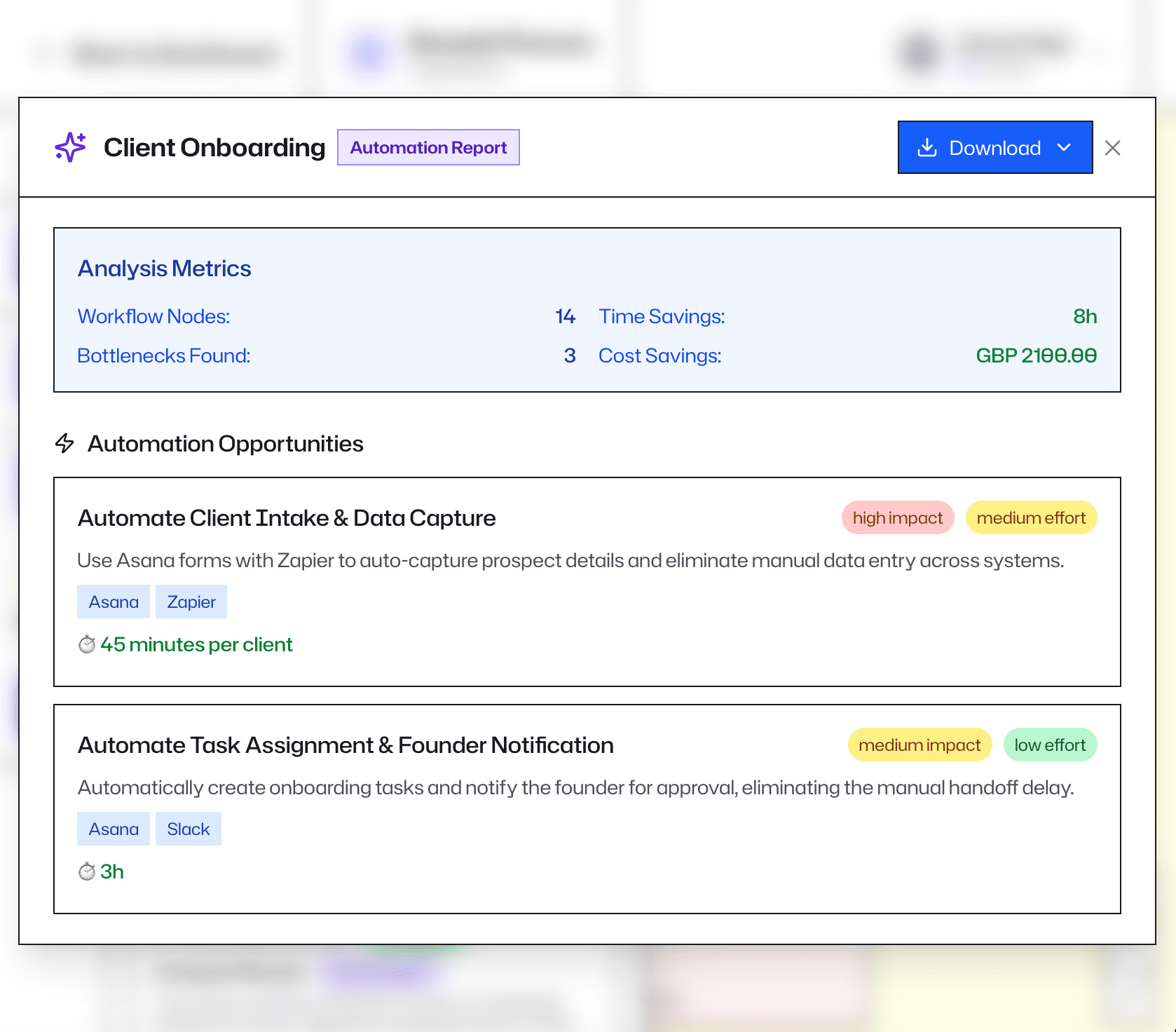
FixFlow flags automation opportunities and suggests tools like Zapier, Make, and Airtable. Use it to scope and present a £3k+ build with the data already done.
The ongoing retainer
The same report builds the business case for ongoing support. Show clients exactly why they need you at £1k+/month.
"Being able to run a report and see that the logic agrees with what's in my brain means I know I'm on the right track. It's brought everything
into clarity."
Charlotte Boundy
Founder of Bright Spark PAs
How people like you are using it
Real sessions. Real numbers. Real next projects.
“WorkflowMaps turned a messy client inquiry process into a clear, data-backed case for automation and gave me the confidence to sell value-based projects.”
Sally Ashe, Owner, SavvySally
“One client’s lead capture process was taking over an hour and costing £108 in director time. Per enquiry. They had no idea. It just felt like admin.”
Sharon Hadley, Owner, Virtually Brilliant
Map a process straight away
£47 /month excl. tax
Or £470 a year excl. tax.
Includes a personal onboarding session to get your first client engagement.
Visual Mapping Software
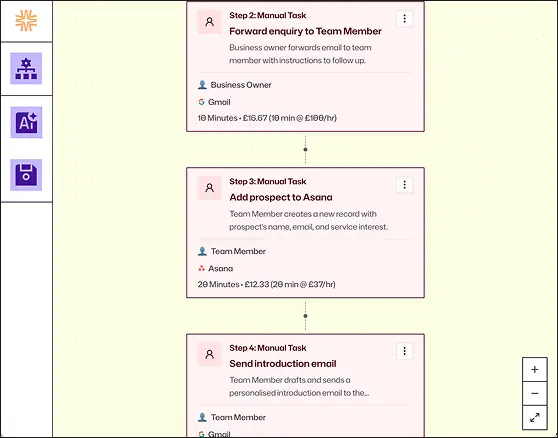
Map bottlenecks during client sessions, or build workflows on your own to back up conversations with data.
FixFlow Data-Driven Analysis
Generate a data-backed report that shows clients exactly what’s broken and what it’s costing them.
Professional Reports
Download detailed reports in PDF or Word and turn the data into confident, evidence-backed recommendations.
“I created a workflow and discussed it with my client. The result was he authorised me to immediately look into the best way to automate the work. He was shocked how many manual steps were involved and the cost.”
Vivienne Mayo
Owner of VM Business Support
Frequently Asked Questions
General
Do I need automation experience to use this?
No. If you can talk a client through how something works in their business, you can use WorkflowMaps. The platform guides you through the right questions. FixFlow handles the analysis and tool suggestions so you don’t have to research Zapier or Airtable yourself.
Isn't this just another mapping tool like Miro or Lucidchart?
Those are blank canvases. They let you draw things out, but they don’t tell you what’s broken. WorkflowMaps is a diagnostic system. It guides you through the process step by step, captures the detail, and generates a data-driven report that calculates the actual cost of inefficiencies. It doesn’t just draw the map. It tells you what to fix.
Do I use it during or after a client conversation?
Both. You can map bottlenecks in real-time during a live meeting, or build workflows on your own afterwards to back up your conversations with data.
Can a process be really simple? I'm not mapping anything with 50 steps.
Absolutely. A workflow can have three steps or three hundred. The platform works the same either way. Start small. Even a short process will surface things you didn’t expect.
How do I view the reports?
You can view and download reports as PDF or editable Word files.
Pricing & ROI
Is it worth £470/year if I'm not running standalone workshops?
At less than £40 a month, it sits alongside the other tools you already pay for. The difference is this one structures your thinking, quantifies your findings, and gives clients the data they need to act. Most members find it pays for itself within the first process they map.
What if I just want to use it as part of my existing work?
That’s a perfectly good place to start. Many people use WorkflowMaps to map processes for clients they’re already working with. The tool makes that work faster, more structured, and more professional. The bigger opportunities tend to follow naturally.
Your clients have inefficiencies right now. Show them.
Start mapping with structure, data, and a report they'll actually act on.